In design
Ask. Build. Keep going.
Work with an agent in a focused conversation. Investigate a bug, explore a repository, or take a change through to review.
- ↗Code, tasks and results in the same conversation
- ↗Pick up the work with its context intact
Tama brings your coding agents, plans and machines into one workspace. Define a plan, run connected tasks on your own workers, and review what changes.
Ask an agent to investigate or fix something on its own branch. The task, its changes and its test results appear as cards in the conversation, and the agent asks before handing work back to the task.
Try the task, changes and tests cards, and the hand-back.Recreated in HTML from the Tama console redesign, with sample data. No connection to your account.
From the first “what if” to the final review, Tama connects the people,
agents and tools that move software forward.
Work with an agent in a focused conversation. Investigate a bug, explore a repository, or take a change through to review.
Turn an idea into a clear project definition and connected tasks. Capture what success means before agents start implementing.
Run tasks through defined workflows. Connect implementation, checks and review instead of managing disconnected agent sessions.
Follow changes, check results and review findings back to the work that produced them. Keep approval where a person is needed.
Connect macOS, Linux and Windows workers. See which machine is running a job, what is waiting, and where capacity is available.
Configure runtimes, provider accounts and routing. Use Claude Code and Codex within the same workspace and follow their availability.
Track usage and charges across accounts and projects. See the cost of the work alongside the progress it is making.
Use Tama through its MCP tools from a compatible client such as Claude Code or Codex. Bring task and workspace context into the tools you use.
One continuous process, with room for you at every important turn.
Describe the outcome. Shape a plan with clear boundaries.
Give connected tasks to agents on your workers.
Follow tests, changes and review findings together.
Make the decisions that need you. Keep the work moving.
Gin and Toki are separate tools with their own docs. Tama workers can already run Toki builds beside agent jobs, and Tama is moving its task source onto Gin. Their pages in the console are in design.
Gin gives every agent its own isolated workspace. A dependent task can start from its parent's published checkpoint before the parent lands, and move onto newer work when it chooses. Intent and context are kept as structured metadata, not commit messages. Git stays the system for people. Gin imports from Git and exports checkpoints as Git commits; a simpler sync, one diff in each direction, is being built.
In development
Read the Gin docs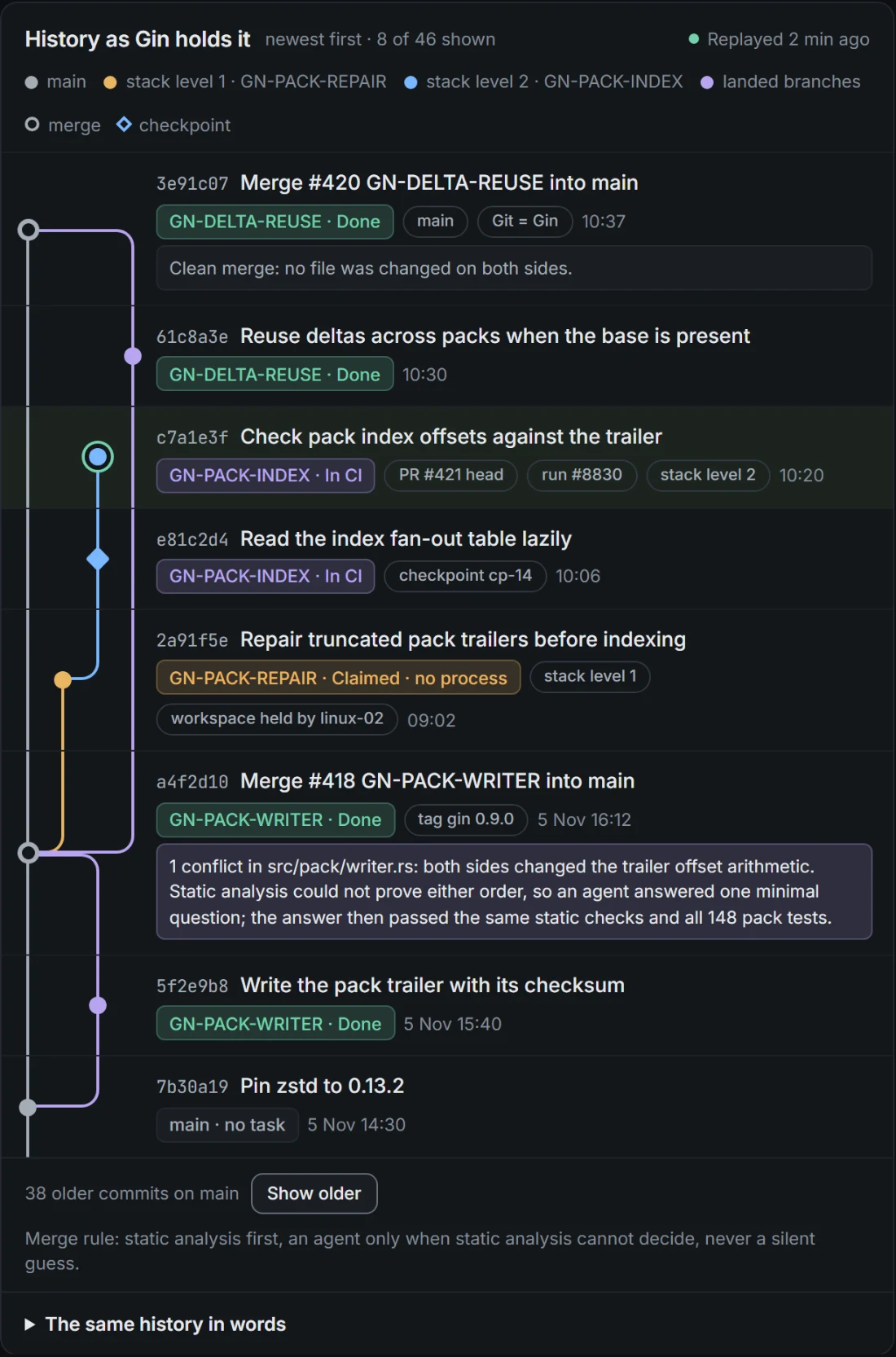
Toki runs whole build and test commands on your workers and records what happened: Cargo and rustc for Rust, and Node's test runner (node --test) for JavaScript and TypeScript, with more languages to come. It owns the test history. Results from Toki runs are recorded today; reading them back, importing CI results and asking about flaky or slow tests come next.
In development
Read the Toki docs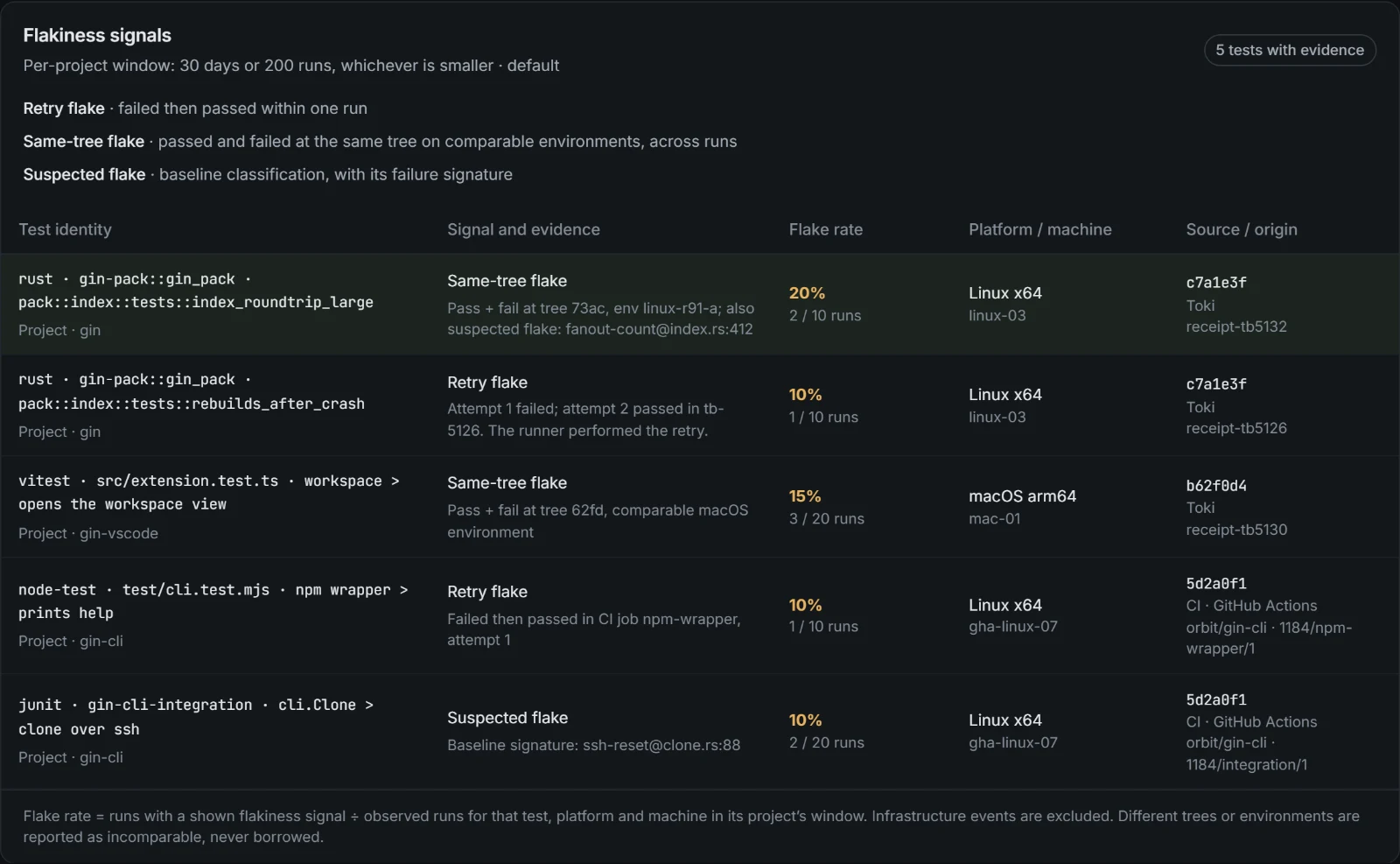
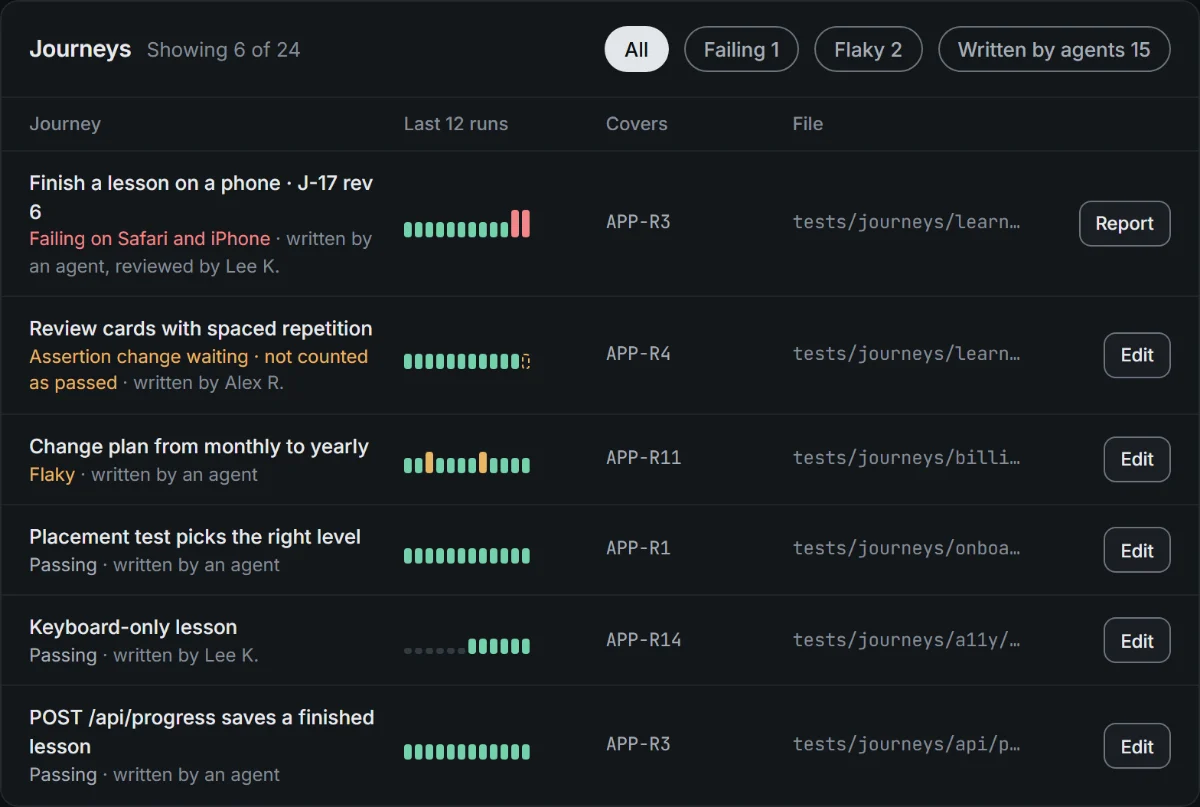
Browser journeys written in plain language by agents or people, stored in the repository beside the code, and run on your workers.
In design
Tama takes its name from tamashī, the Japanese word for soul. The idea is simple: give powerful tools a shared purpose, and give you the space to think about what comes next.
A little more about the way Tama works.
Tama is a workspace for building software with coding agents. It brings conversations, project definitions, connected tasks, workflows, workers, checks and reviews together. You can work with an agent directly or coordinate a larger plan across several agents and machines.
Tama coordinates the agents and runtimes you configure, including Claude Code and Codex. It adds the shared plan, execution workflows, workspace context and visibility around their work.
Connected workers can run jobs on machines you own. The coding agent still sends prompts and relevant code to its AI provider as part of doing the work. Provider choice and account configuration matter; using your own worker does not make a provider-backed agent offline.
Yes. Tama exposes MCP tools for compatible clients. You can bring workspace and task context into clients such as Claude Code or Codex, as well as use the web application.
Partly. Tama is in active development and moving to a new console. Plans with their task board and dependencies, project definitions, workflows, workers, routing, accounts, usage, budgets and the MCP tools are in the current app. Sessions and the simple home shown above are designs that are not in the app yet, and neither are the Gin, Toki and Test studio pages. The previews use sample data. No pricing or general availability is announced here.
Active development. A new way to work, taking shape.
 Looking at the failure…